There were a few major problems I ran into during this setup...
- The default password for the DP-CL22's web interface is apparently either "0000" or "00000000" depending on the source you believe, accompanied by the default user name of "root". Someone must have changed it along the way and I found no documentation on how to reset it. The DP-CL22 manuals were of no help to me although the Network Setup documentation might be of help to those troubleshooting network configuration errors. The DP-CL22 network setup tool was useful put required I know the old password before setting the new one.
- The printer is evidently only distributed overseas as the only DP-CL22 drivers I could find were from Panasonic's Japanese site and a search on Panasonic's support site revealed nothing.
- The DP-CL22 drivers provided by Panasonic don't seem to work properly... whenever I sent a print job to it, it spit out a bunch of blank pages and one page with some garbled "Adobe 3.0..." header text.
Openprinting.org has a number of opensource printer driver solutions that would work in OSX. Gutenprint didn't work for me, but I started trying other drivers even though they were not specifially for the DP-CL22. The final combination that enabled me to print over a network in color with the DP-CL22 was the following:
- Download and install hpijs
- Download and install Foomatic-RIP
- Download and install Ghostscript for Mac
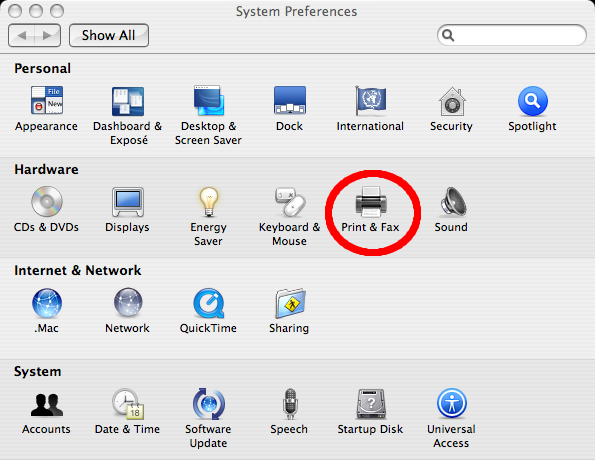
- When adding the printer, make sure the protocol is "Line Printer Daemon - LPD"
- Make sure your printer IP is static, or has lease time of forver on your DHCP server or router.
- Once you type in the IP, under the "Print Using" drop-down, find "HP Color LaserJet Series PCL 6 CUPS".
One final note: don't use the Panasonic supplied ColorSync profile. I did a few test prints and the "Automatic" setting better approximates the colors (evident in purple color printing).
Hope this saves someone the hours I spent this weekend trying to get it to work!
UPDATE: The above method does not work for printing PDFs... you'll probably get an error like: PCL XL Error. Subsystem: KERNEL. Error: ExtraData. Operator: ReadImage. Position: 19.
To fix this, make sure your printer is using the "HP Color LaserJet 5 Foomatic/hpijs" driver instead of the "HP Color LaserJet Series PCL 6 CUPS." You may have some issues with color accuracy, so play around with different color profiles until you find the best match.